Urban
Reducing customer service requests by 76%
- My Involvement
- User Research, Product Design,Usability Testing
- Platform
- Mobile app
- Year
- 2019
- ~76%
- fewer support requests overall
- 18%
- of users intending to cancel rescheduled instead
- No increase
- in cancellations after launch
The brief
Urban is an on-demand wellness marketplace. After several years of growth, the brief was to improve the client experience and reduce the need to contact customer support. Even with replies in under two minutes, clients were relying on support for things they should have been able to do themselves.
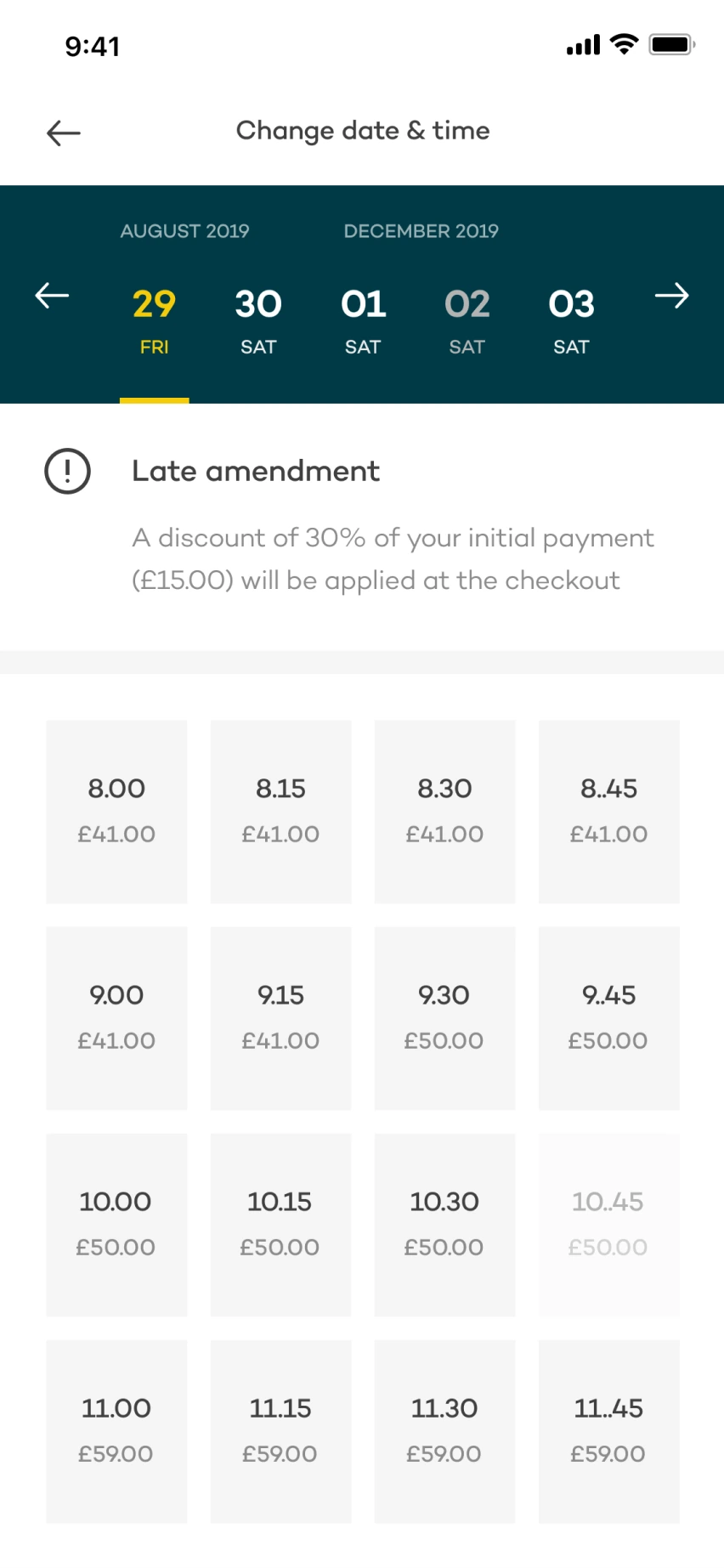
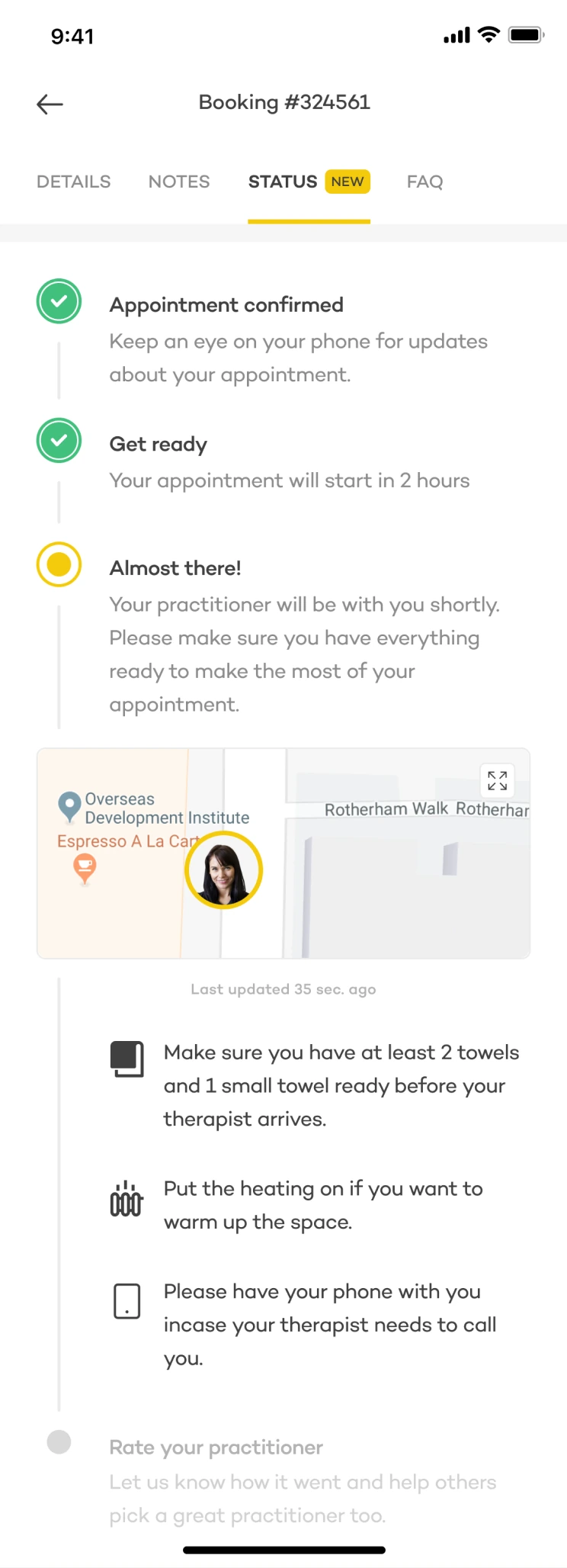
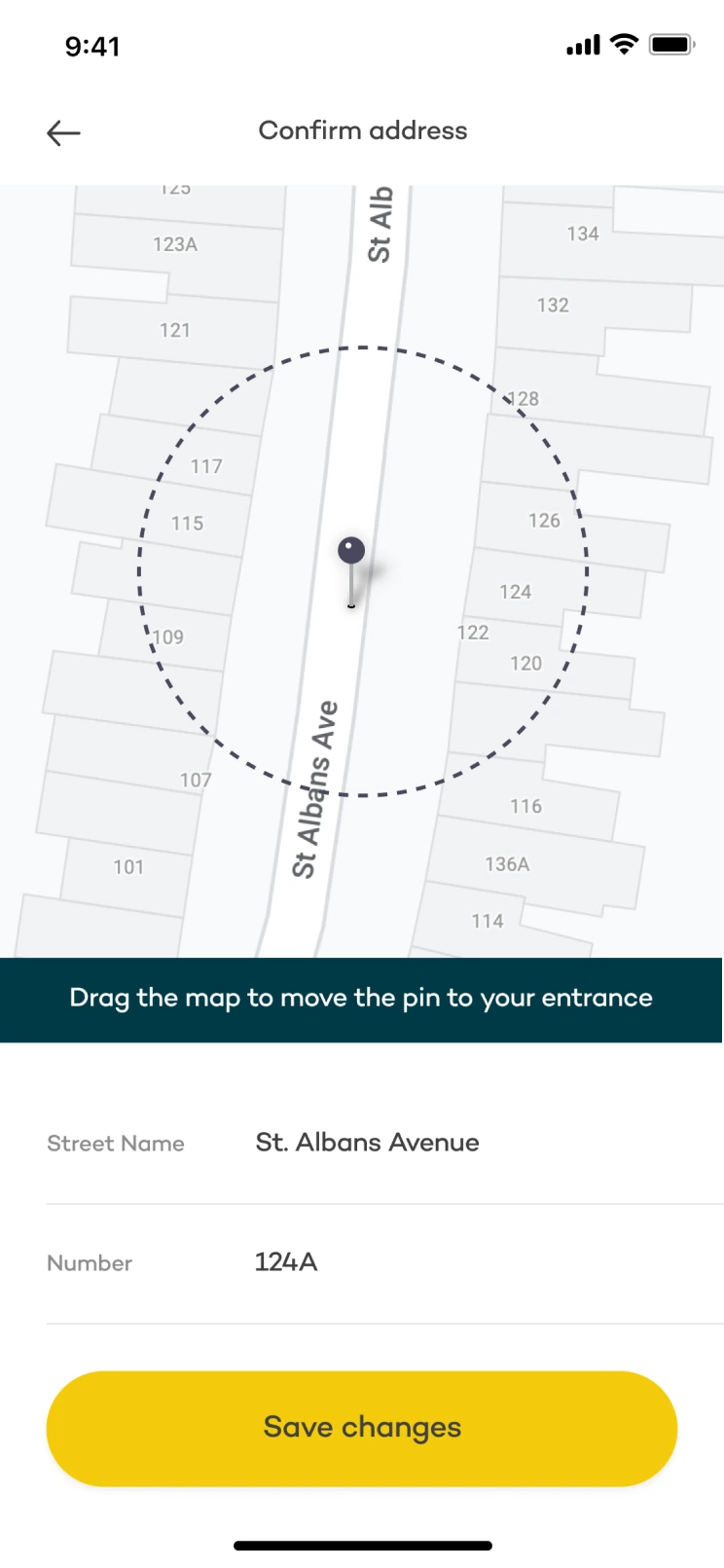
I led the research and design, focusing on appointment management, practitioner arrival and address details. Here’s a preview of the three areas we redesigned.
What we found
I started with a year of support queries and spent a day with the customer support team. Four types of request accounted for roughly 80% of the total:
Appointment changes
Changing or cancelling a booking meant contacting support.
Uncertainty about arrival
Clients needed reassurance that their practitioner was on the way.
Late practitioners
When someone was running late, clients needed an update and a way to get help.
Difficulty finding the address
Reaching the right street didn’t always mean finding the entrance.
I led the research and design, working with Product, Customer Support, Supply, the engineering team and copywriters. Phone and on-site interviews with ten recent clients helped us understand what the support reports couldn’t tell us.
01 / Let people manage their appointments
Clients could only amend or cancel a booking through customer support. The Head of Product and I prioritised self-service appointment management: it accounted for a large part of the support workload, and the business rules were already defined.
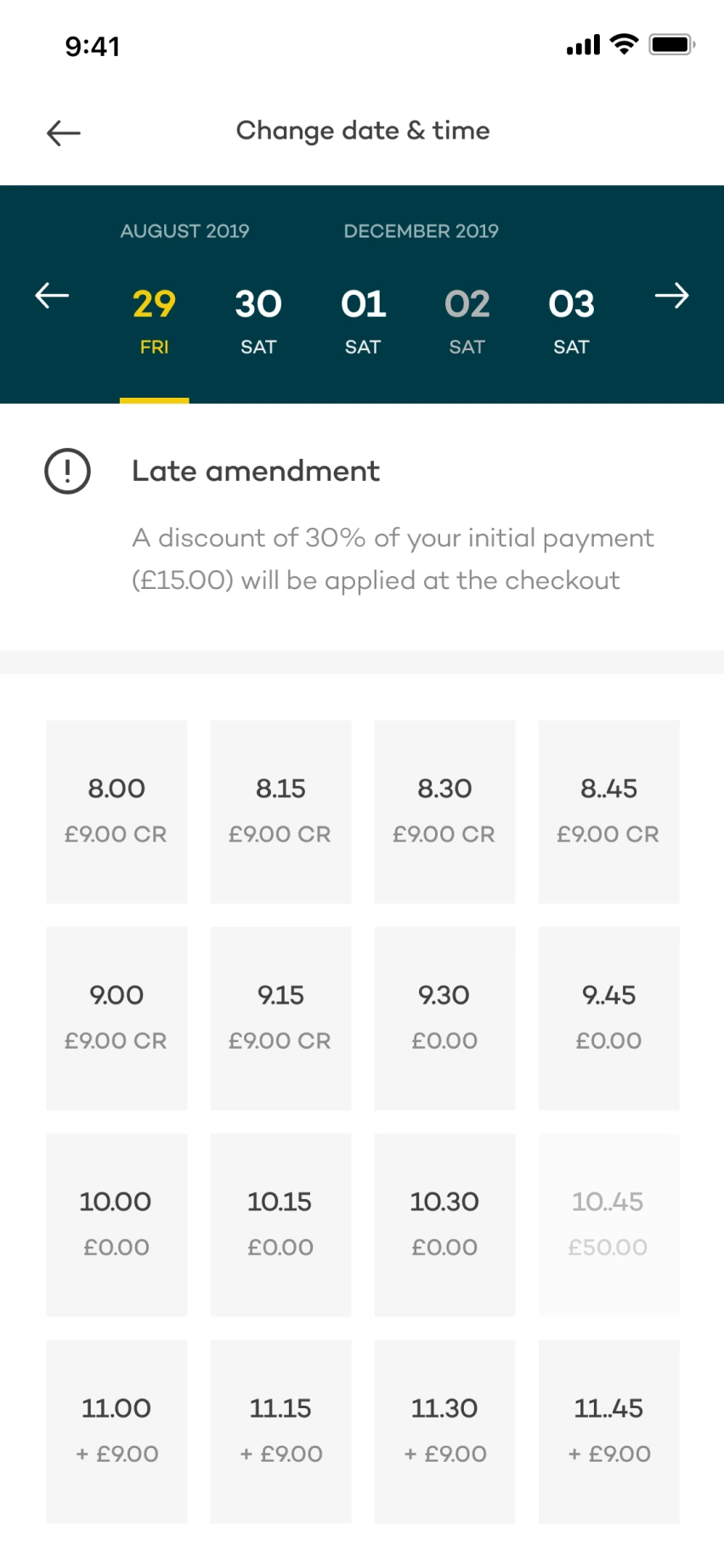
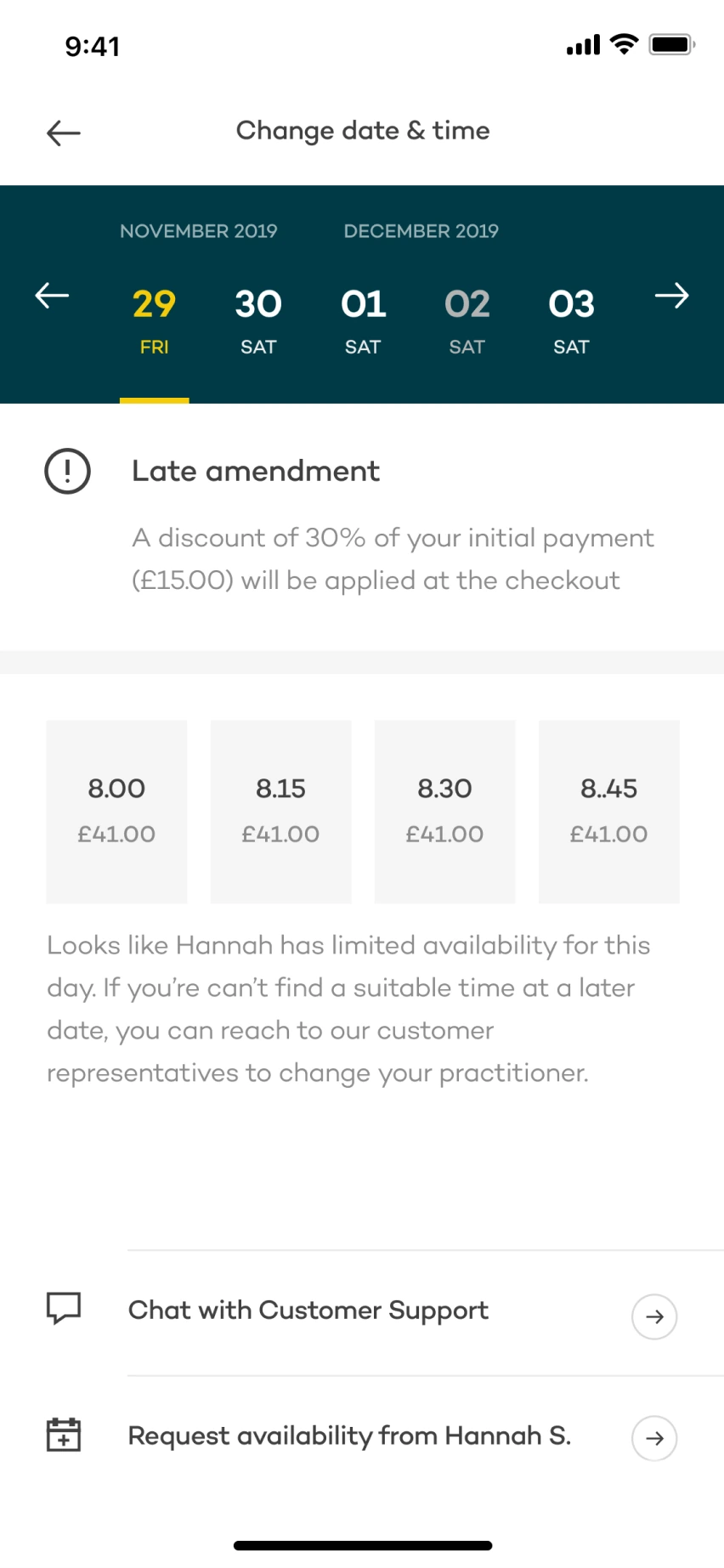
I reused the date and time selection screen from the booking flow to make the new feature feel familiar. The question was how to show prices after the user had already paid.
We tested both versions with ten users who had recently asked support to change a booking. I expected the final balance to be clearer, but seven of ten found the original slot price easier to understand.
Choose a new time
Reuse the familiar booking screen and show the original slot price.
Check availability
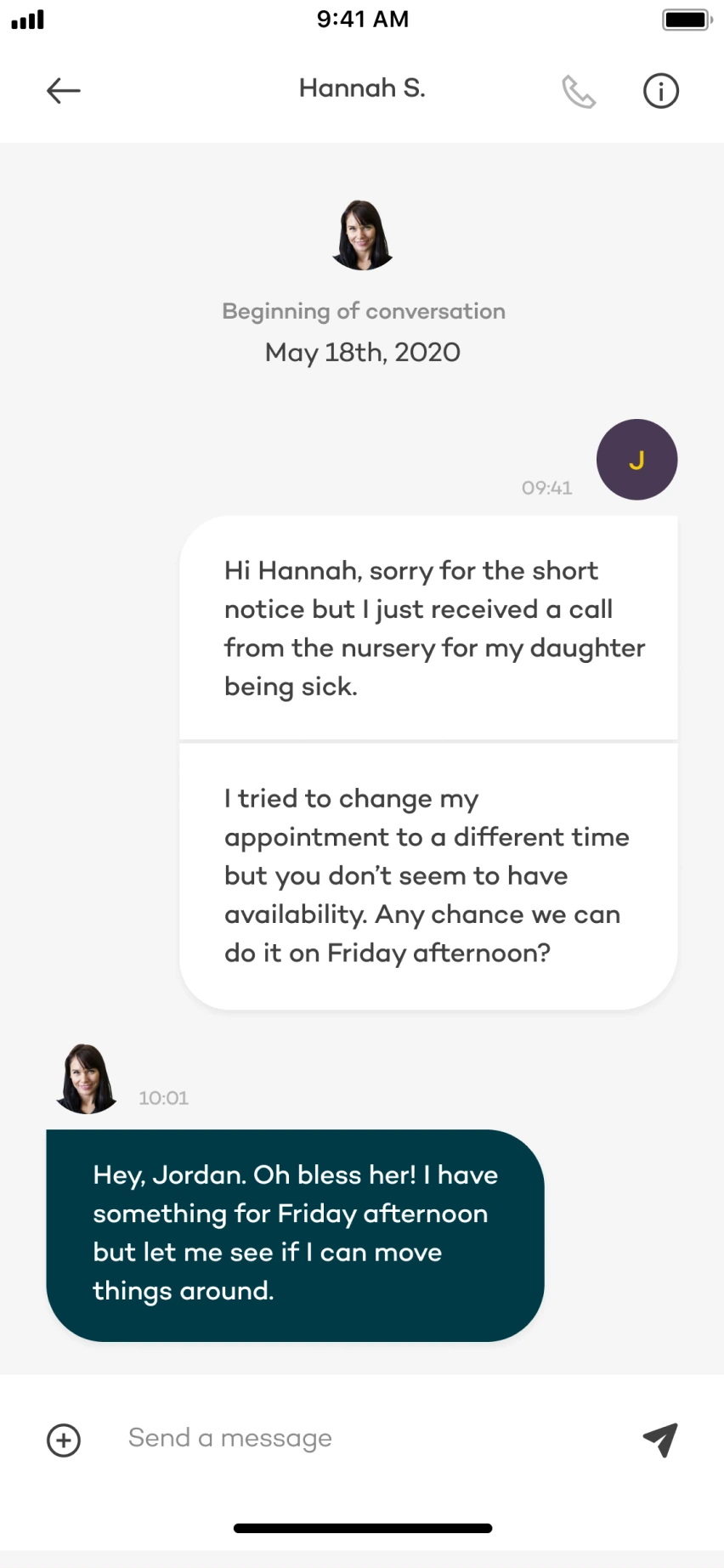
If no suitable slot is available, ask the practitioner or contact support.
Calculate the balance
Apply the booking and amendment rules: extra payment, refund or no change.
Review and confirm
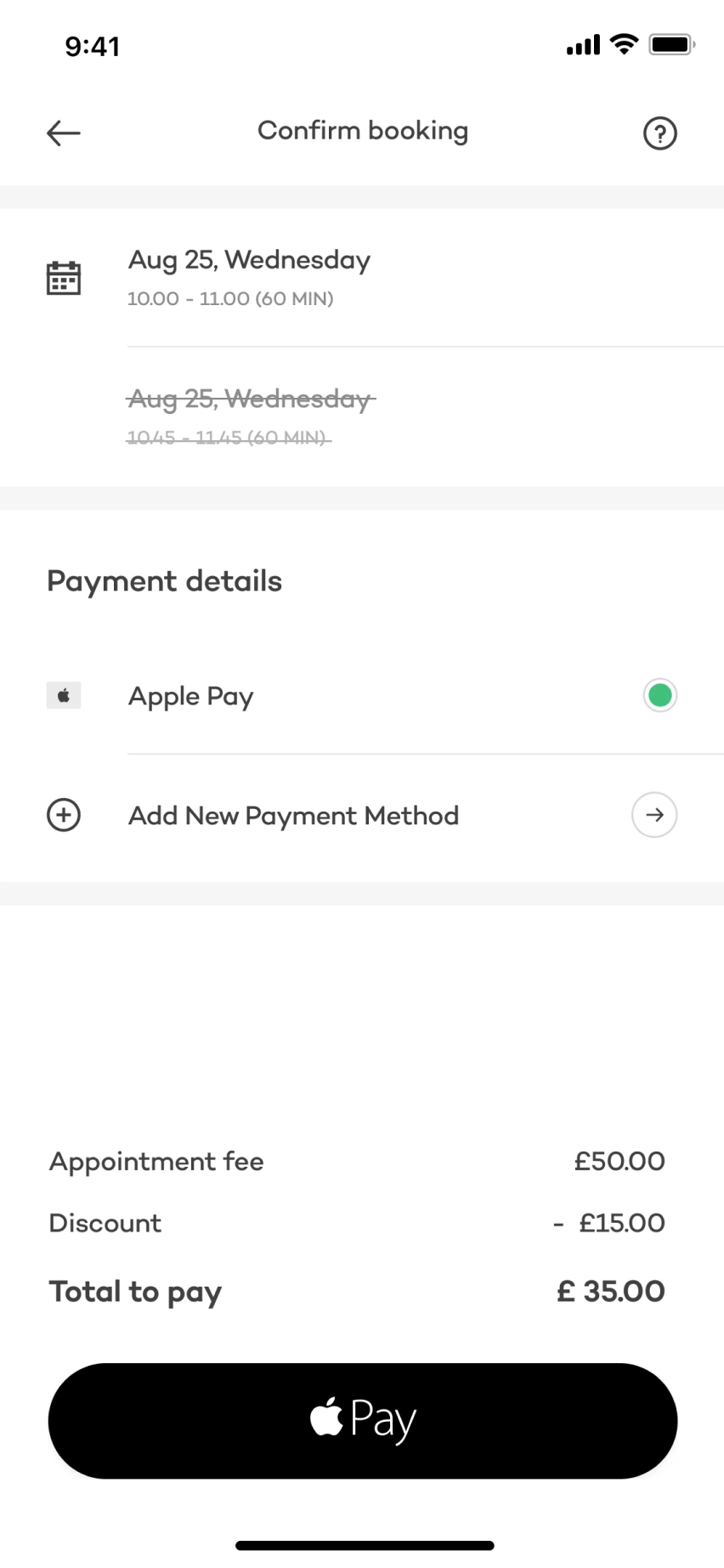
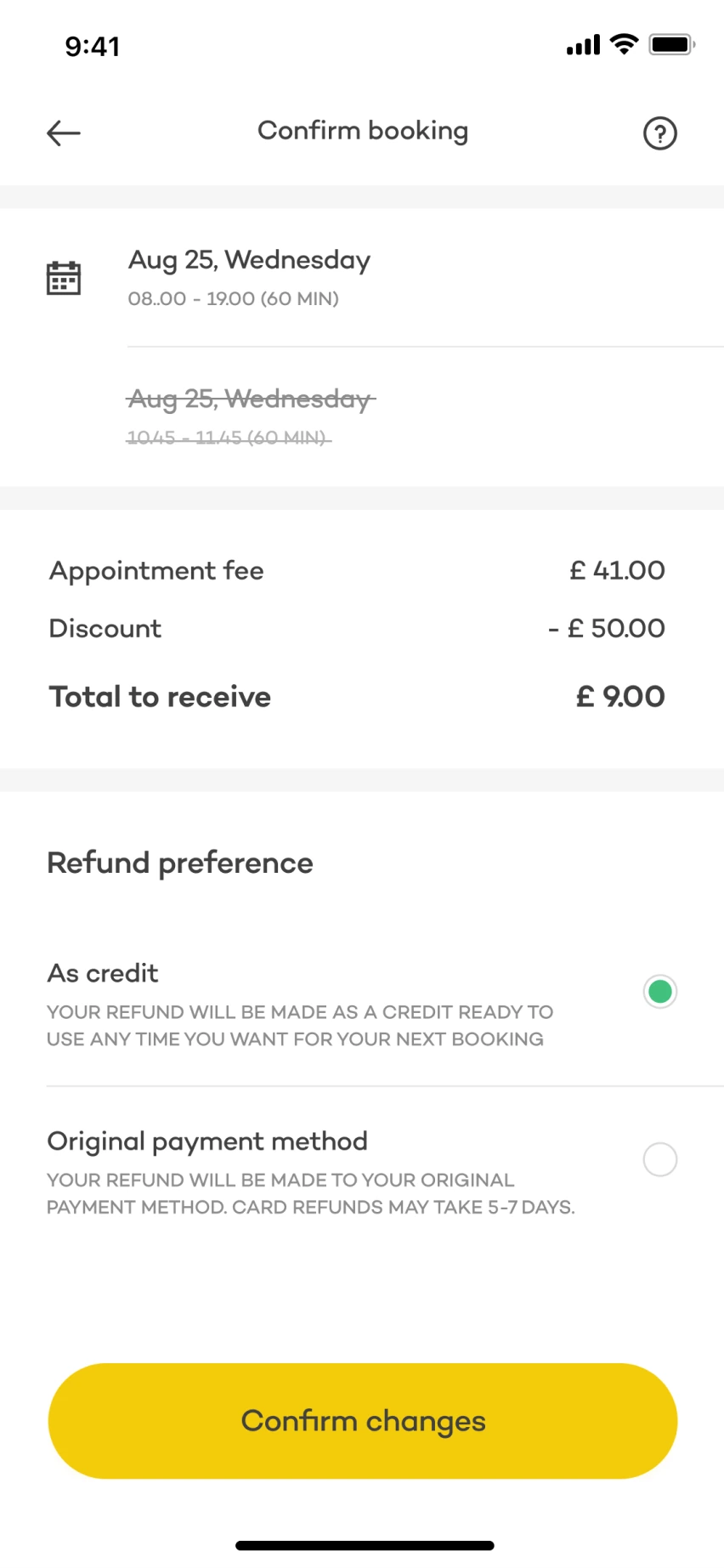
Show the original and new appointment details before committing the change.
When the practitioner isn’t available
Practitioner selection already had the highest drop-off in the booking funnel. Rather than sending clients back to find someone else, we let them ask their practitioner to add availability or contact support for an alternative.
Make the financial consequences clear
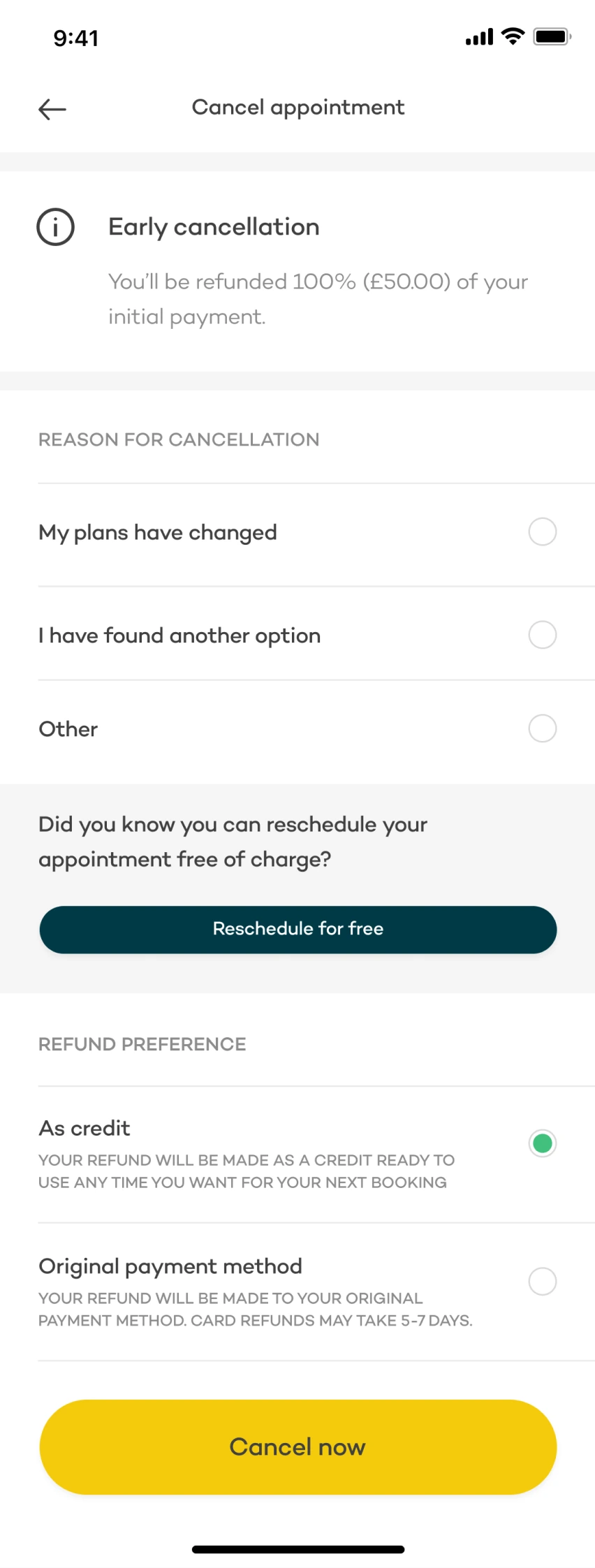
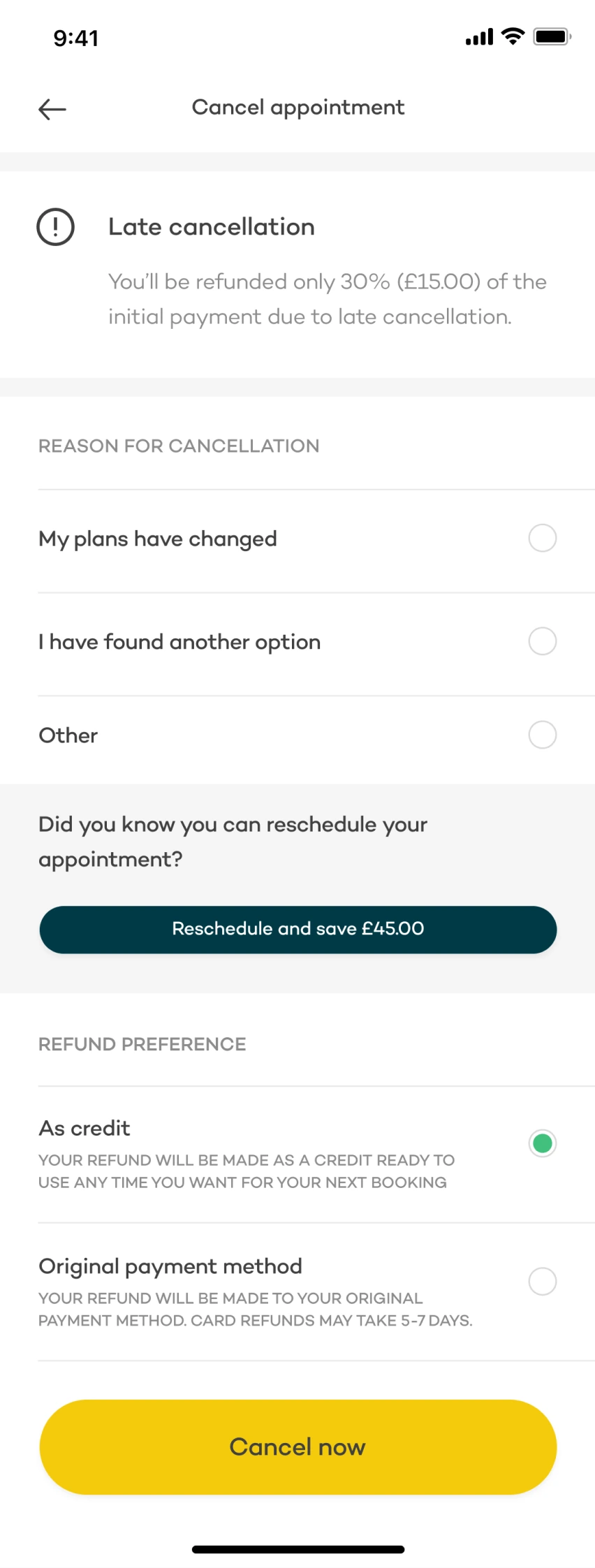
Changing the time could mean an extra payment, a refund or no change in balance. We showed the old and new appointment details before confirmation. For refunds, credit was the default, with the original payment method also available.
Offer an alternative to cancelling
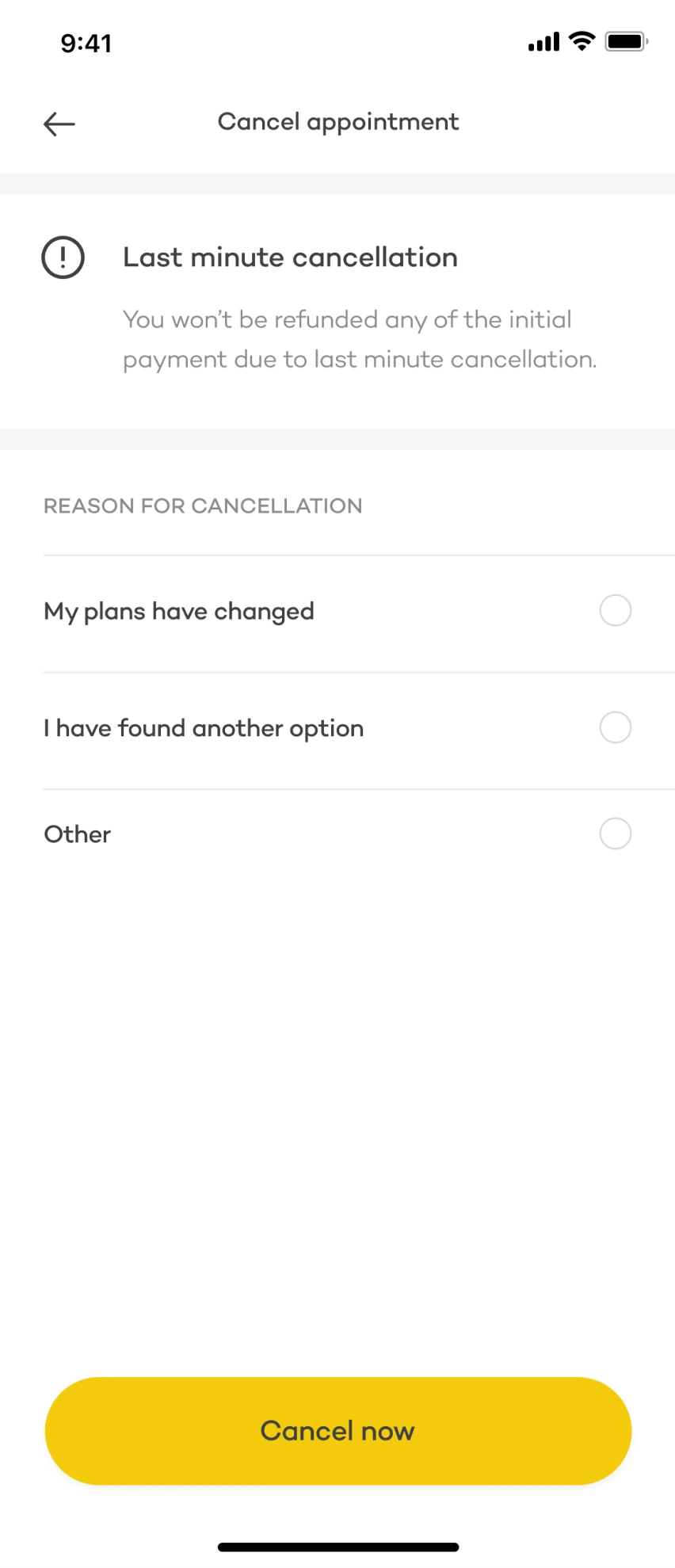
The cancellation prompts explained the refund available at that point and reminded clients that they could reschedule. The aim was to make both the consequences and the alternatives clear.
02 / Remove uncertainty before an appointment
Clients wanted reassurance that their practitioner would arrive on time. To understand what reliable updates could look like, we needed to see the journey from the practitioner’s side, too.
Designing around the journey, not just the screen

Everyone on the team spent a day travelling with a practitioner. They could be leaving home, another appointment or a nearby café. Most used public transport, where they could lose signal; others were driving and couldn’t use their phones.
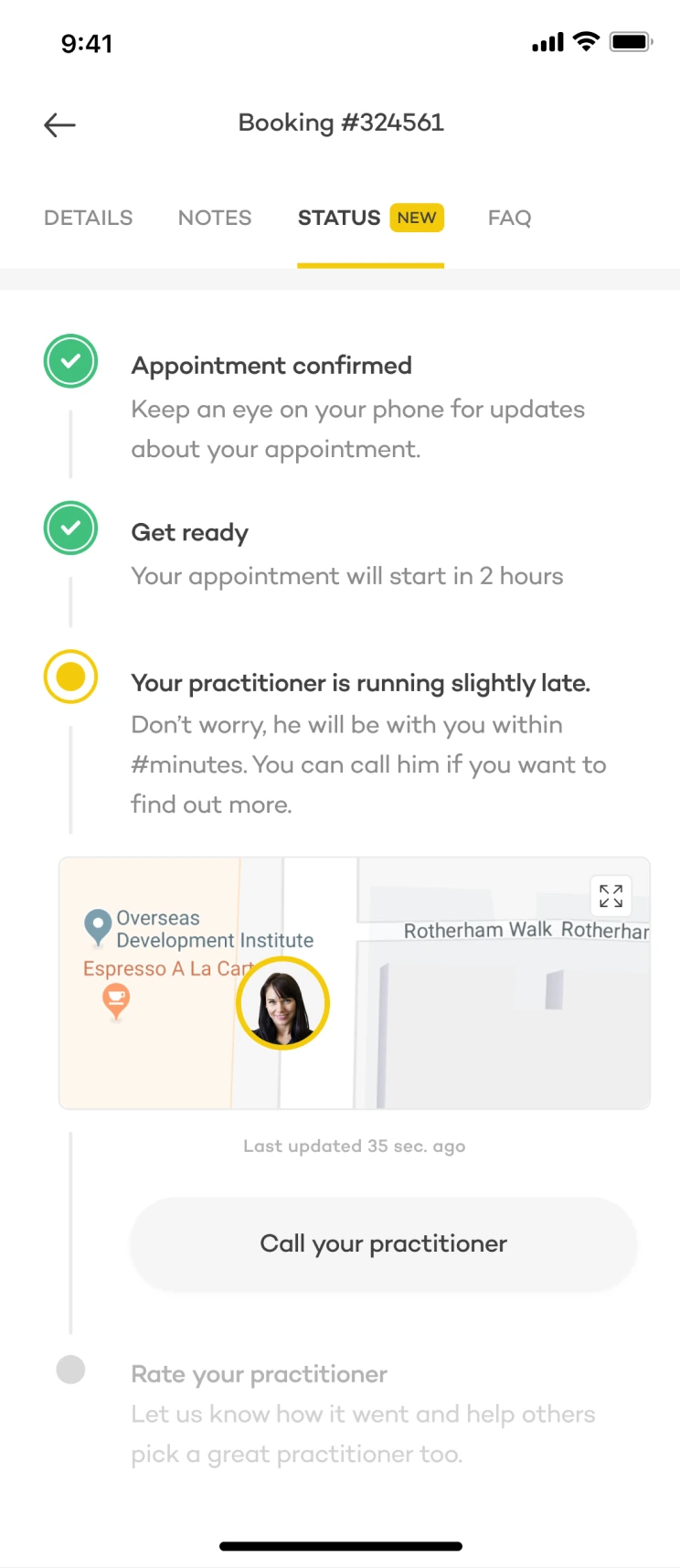
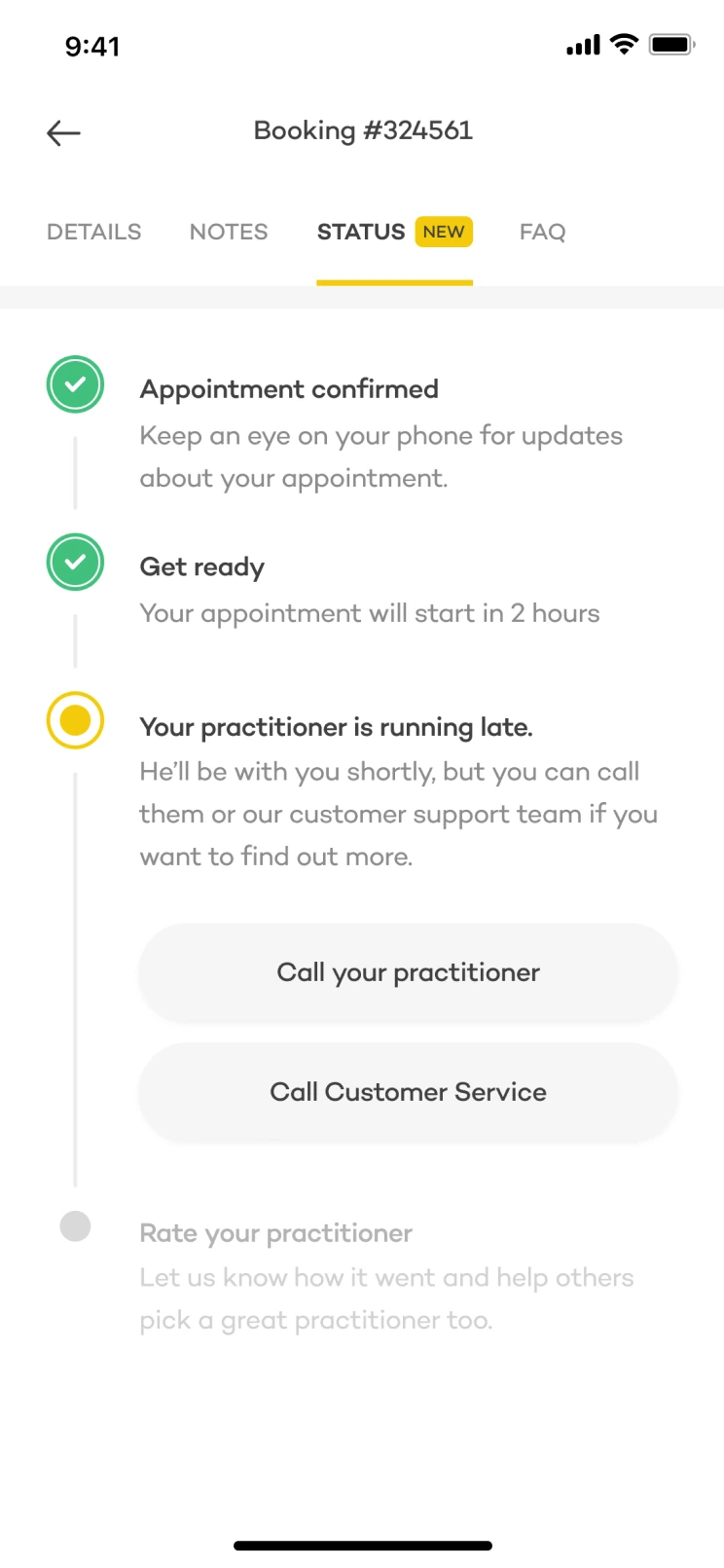
Heavy equipment, rain, gloves and drained batteries meant we couldn’t expect constant interaction. We brought location, status updates and contact options into the appointment screen. We limited location requests and introduced time-sensitive updates, with a support fallback when the practitioner was out of reach.
15 minutes before
Start requesting location data, updating every two minutes.
5 minutes before
Use distance to estimate whether the practitioner will arrive on time.
Running slightly late
Let the client contact the practitioner directly.
5 minutes after
If arrival is unconfirmed and location is unavailable, offer customer support.
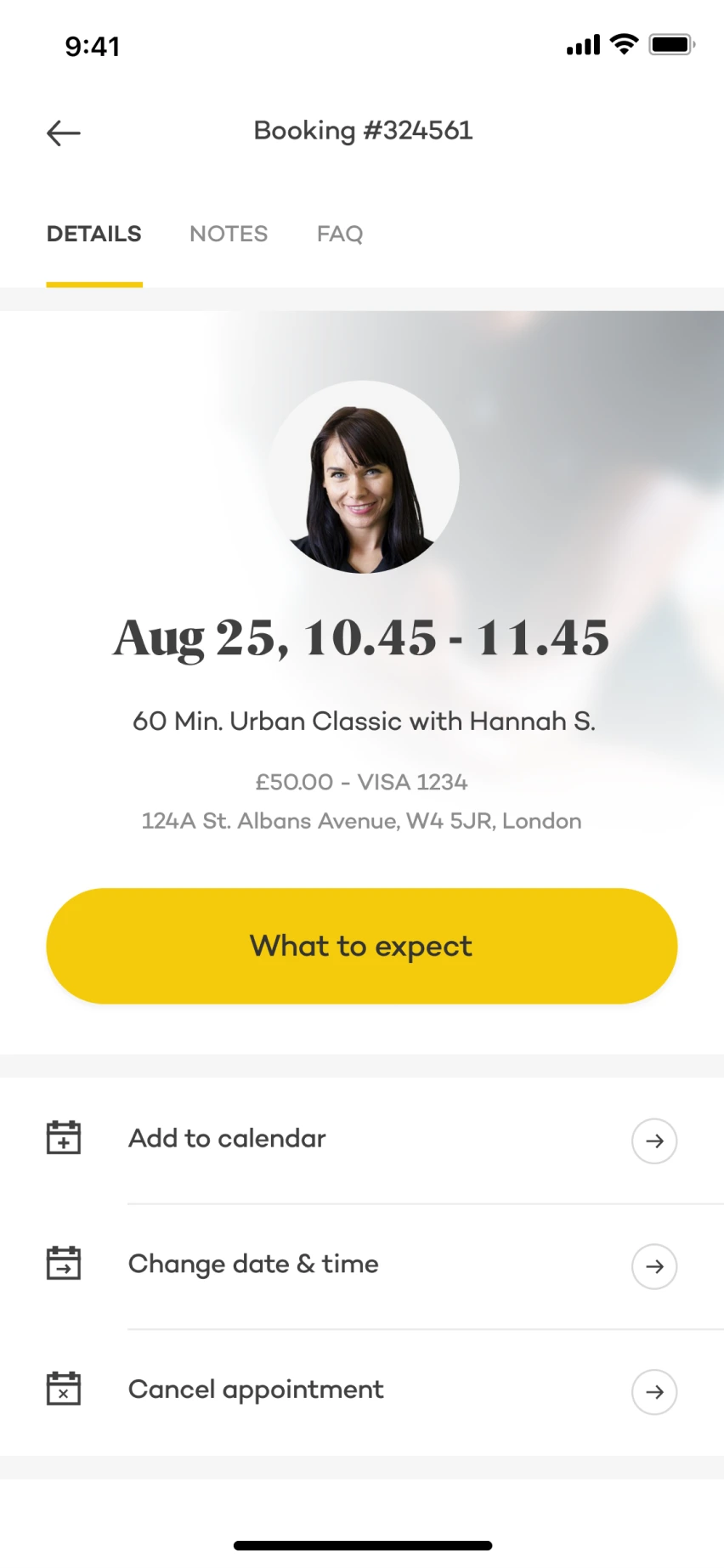
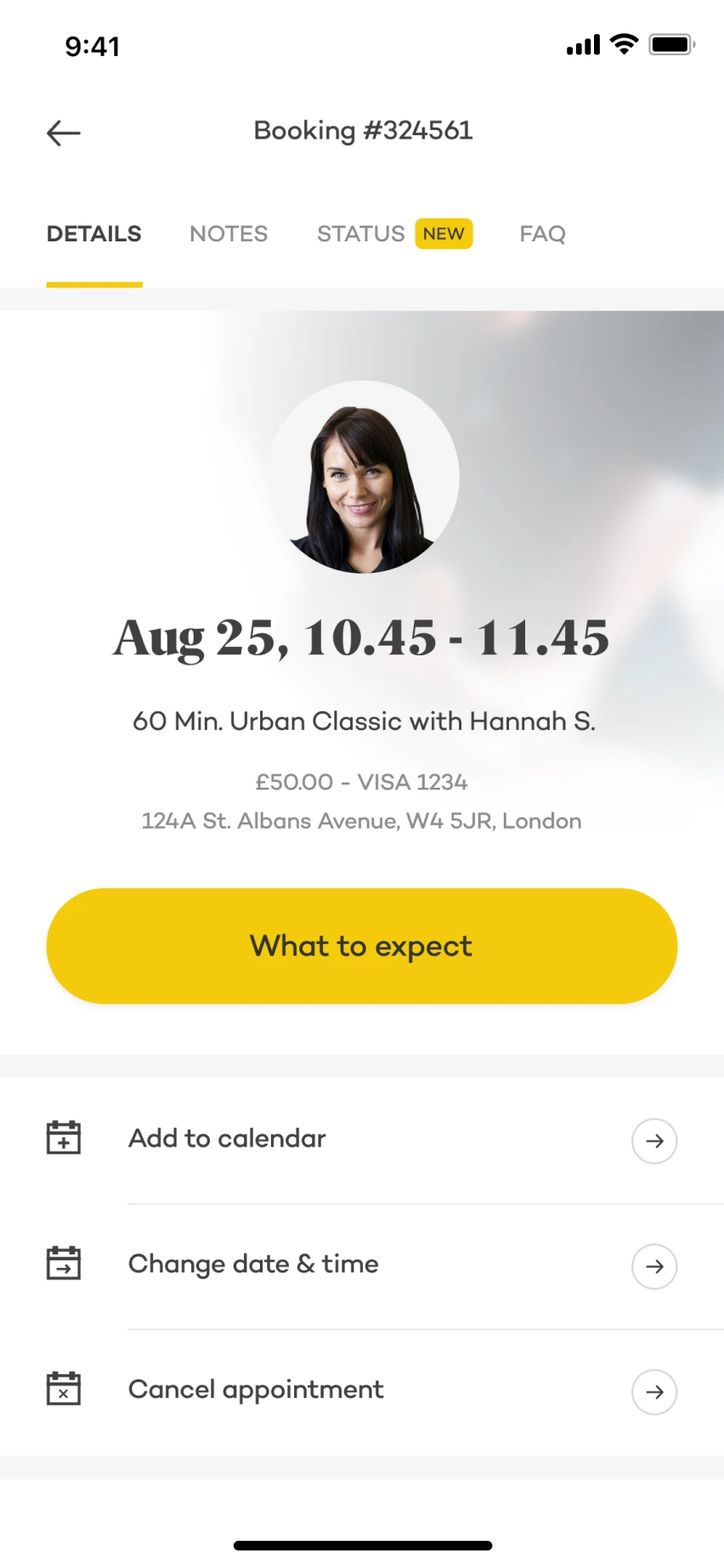
Make the new information easy to find
A badge highlighted the new status tab. Push notifications sent shortly before the appointment linked directly to it.
Help people prepare, too
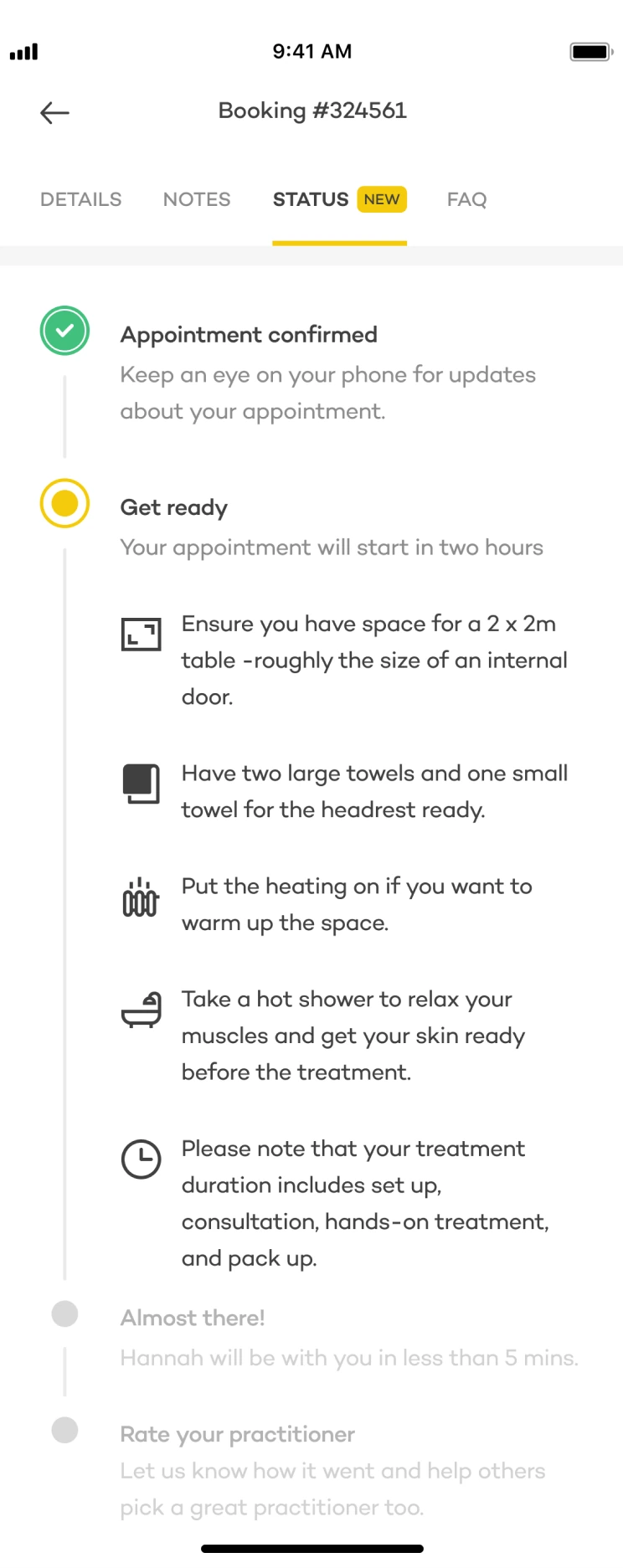
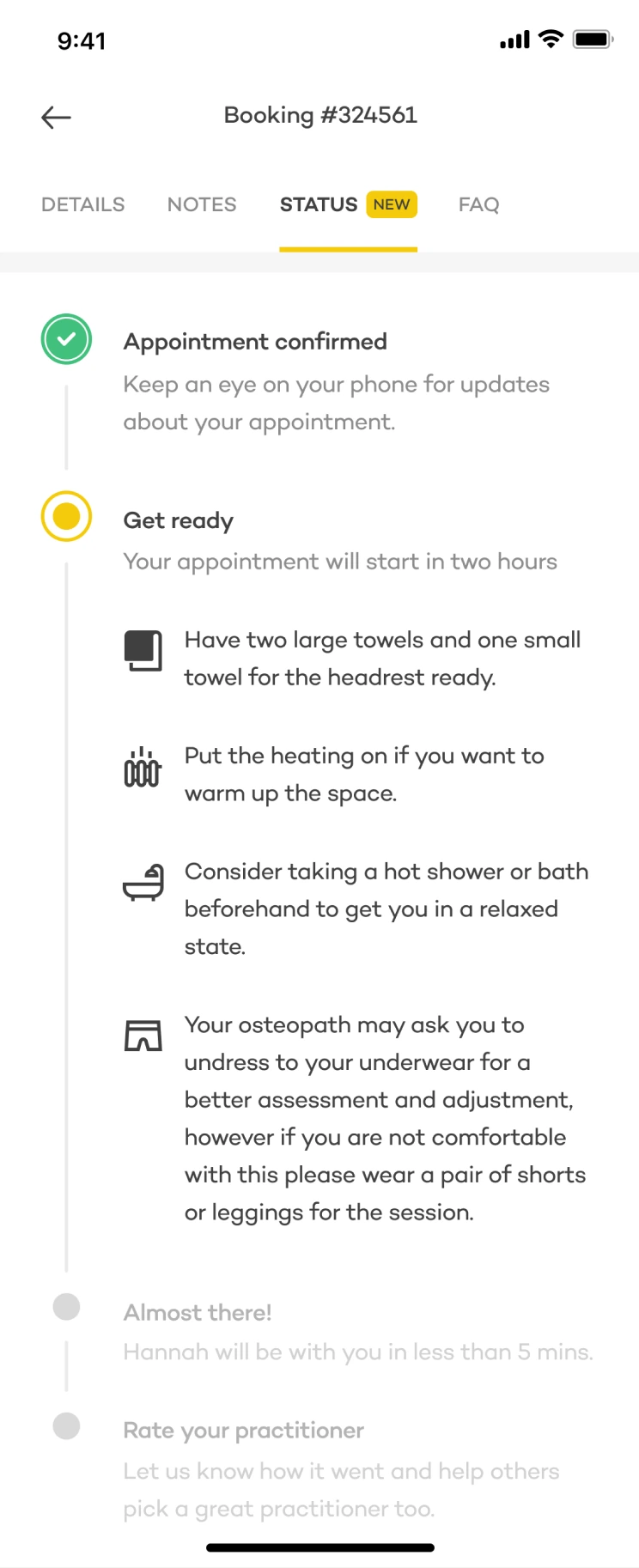
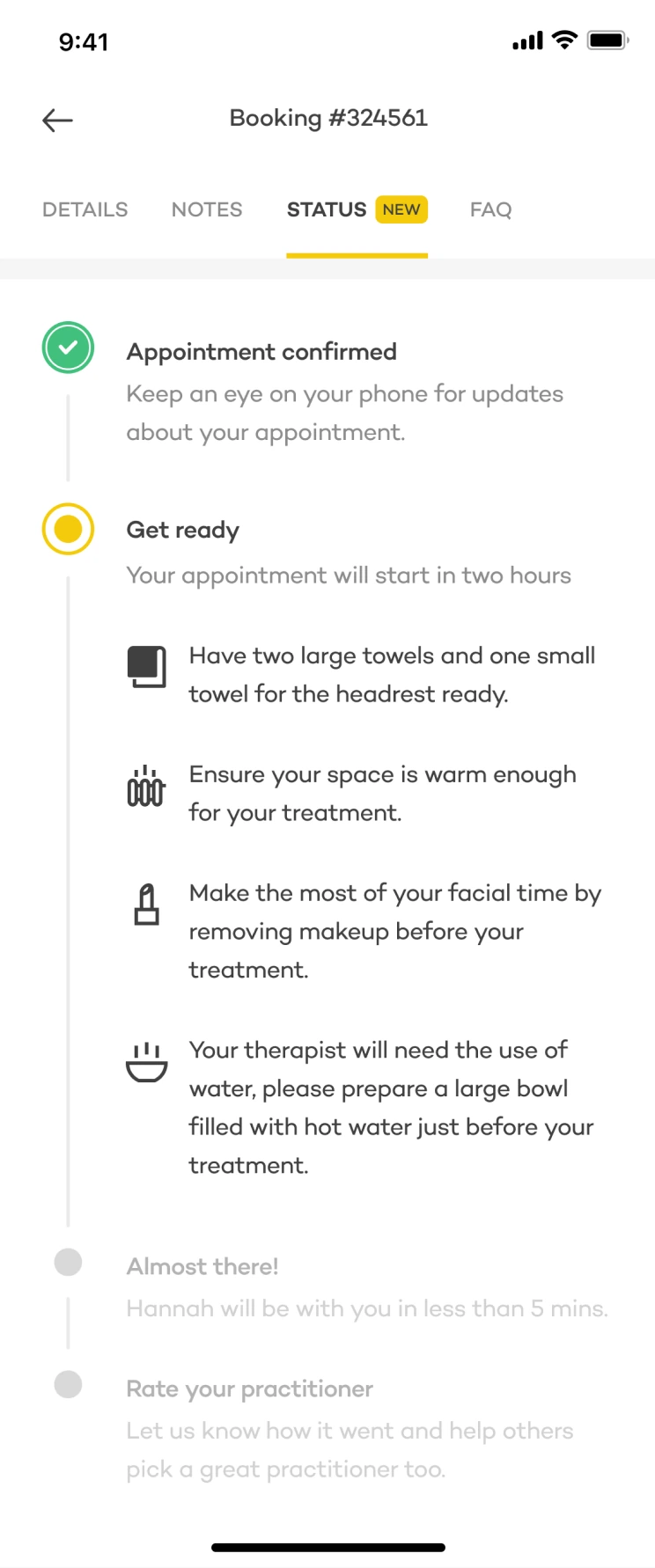
Interviews uncovered something missing from the support reports: some clients didn’t know how to prepare for their treatment. We added preparation instructions and explained the value of notifications when appointment updates became relevant.
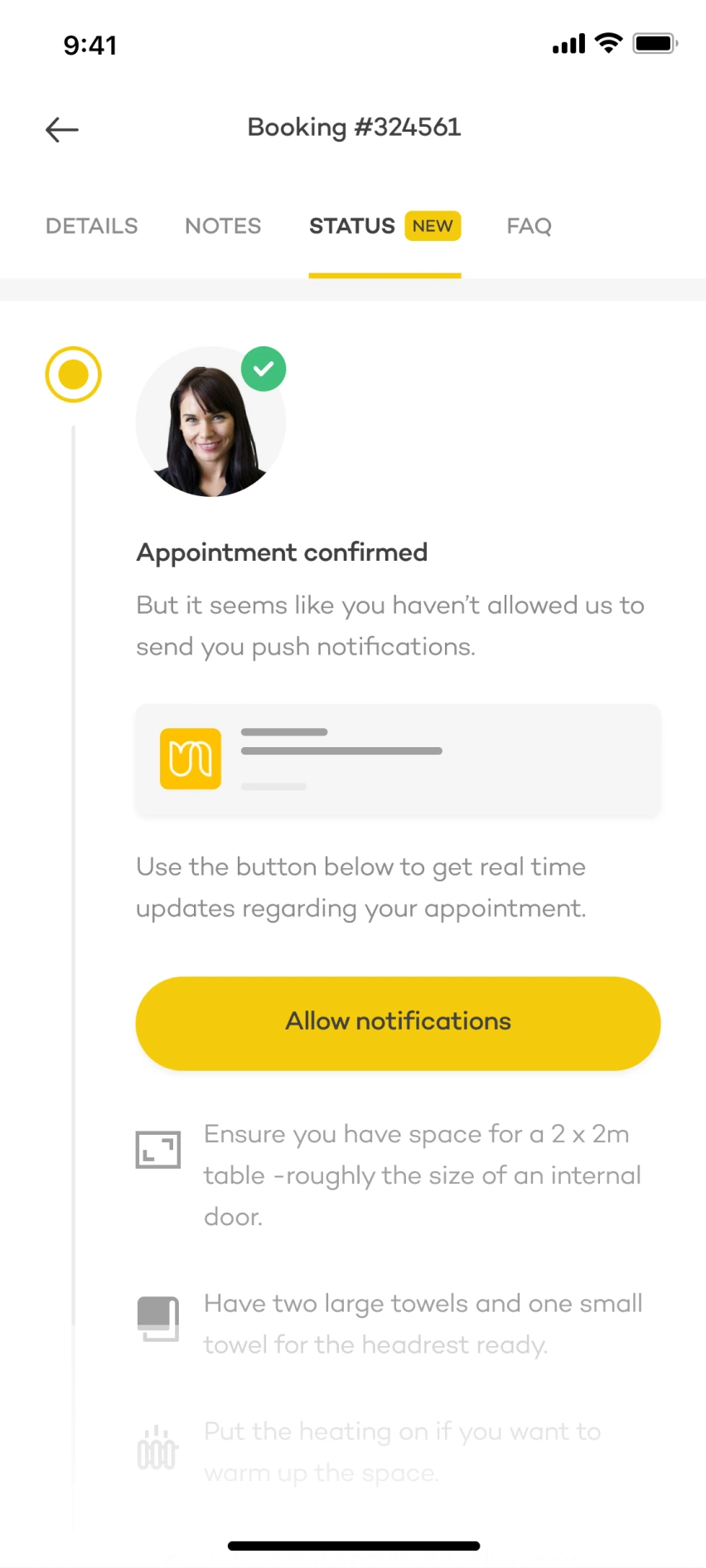
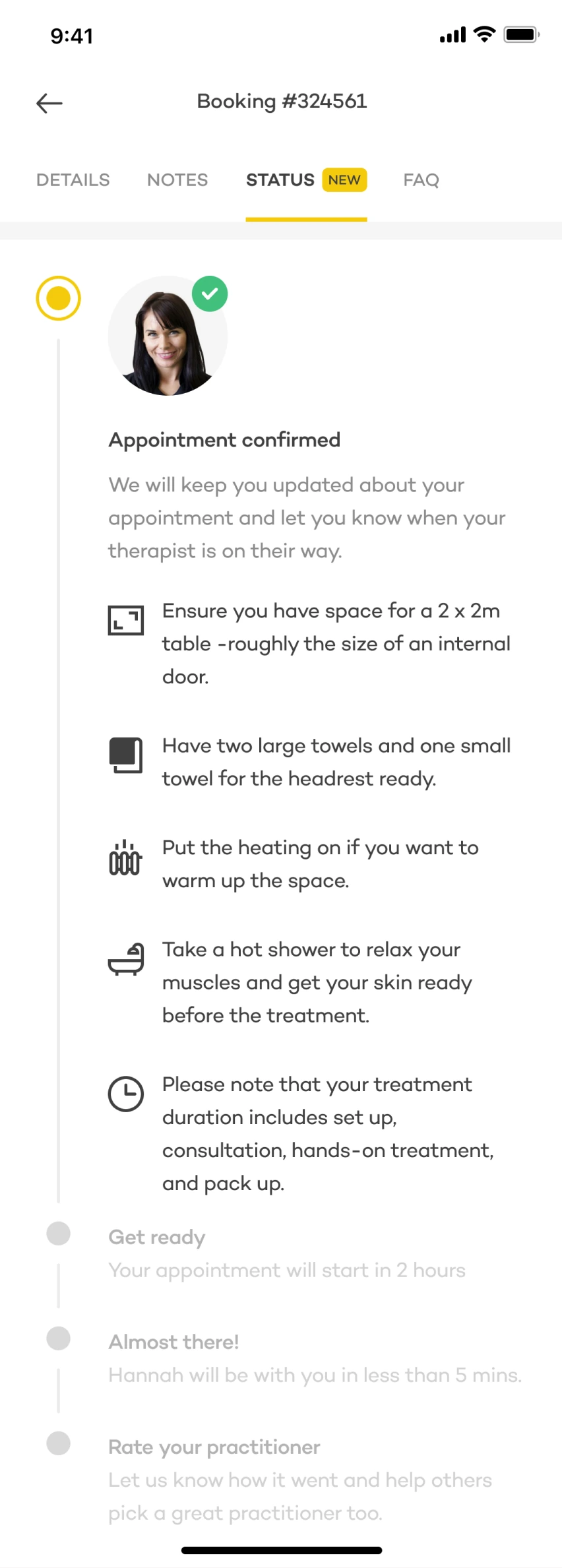
Keep instructions useful across services and countries
Instructions were managed through the CMS, so copywriters and the supply team could update them by service and country without waiting for an app release.
03 / Help practitioners find the door
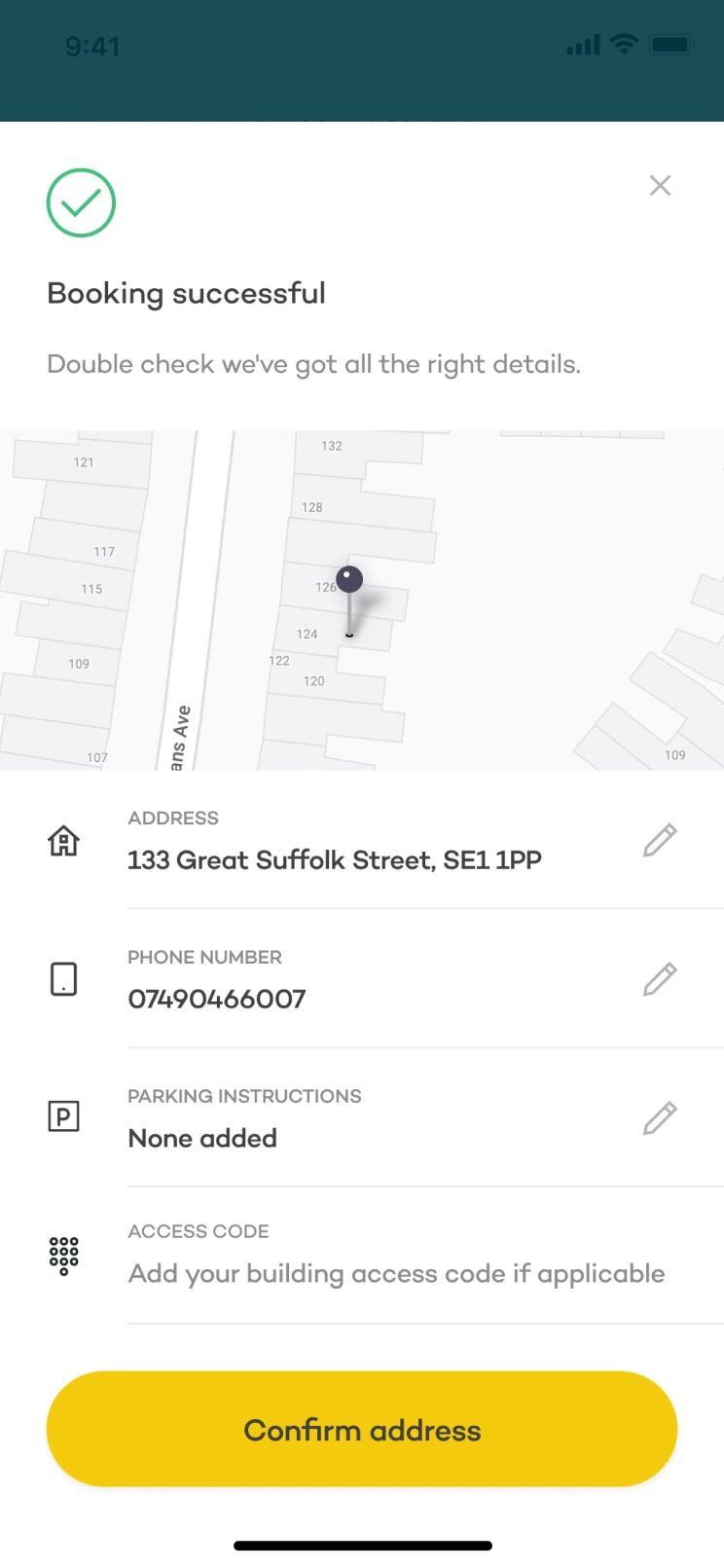
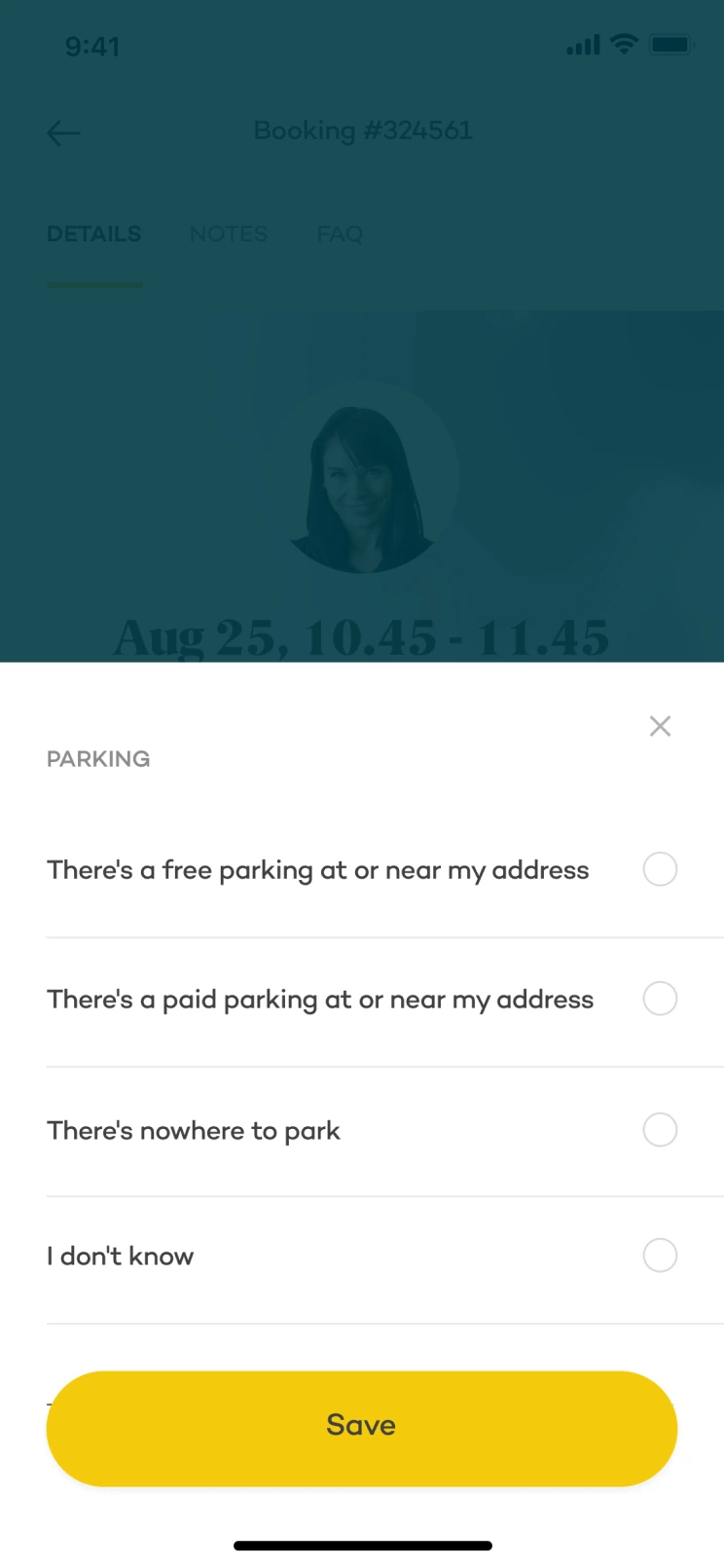
Sometimes practitioners reached the right street but couldn’t find the entrance. During research, practitioners described problems with building access codes and parking details. We added address confirmation after booking, when asking for these details made sense.
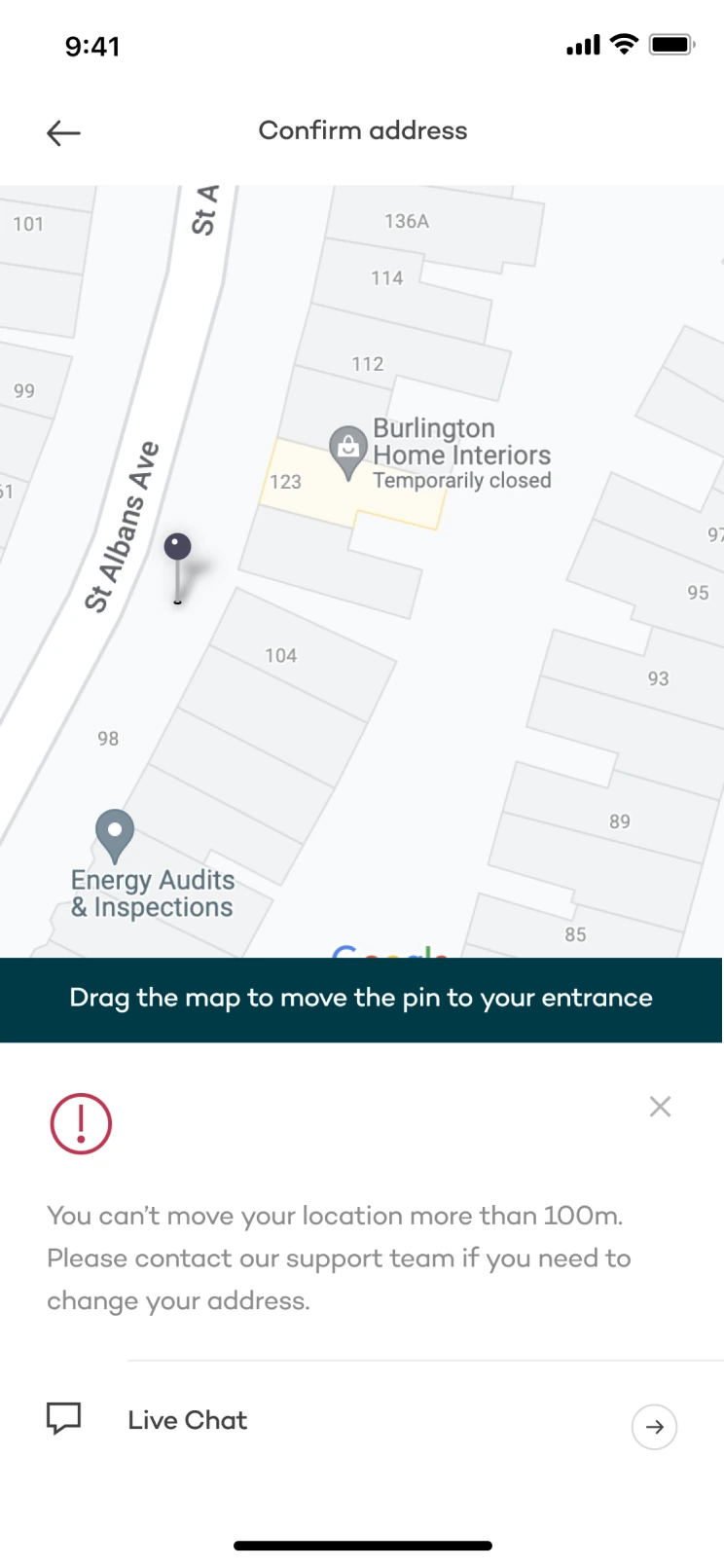
Clients could correct the map pin within a limited radius, so the address stayed within the practitioner’s service area.
Confirm the address
Ask for the extra details when the user has an appointment to prepare for.
Adjust the entrance
Move the map pin within a limited radius to preserve service availability.
Add access details
Include building access and parking information to help the practitioner arrive.
The impact
We monitored support requests and cancellations every two weeks for three months after the full release. The four most common types of request fell by roughly 95%, representing an overall reduction of approximately 76%.
Making cancellation easier didn’t increase cancellations. In fact, 18% of users who intended to cancel ended up rescheduling instead.
This project was carried out in 2019, when Urban offered in-person treatments. Confidential information has been omitted or obfuscated. This case study reflects my own account of the work, not necessarily the views of Urban.